
For professional 3D garment creation, CLO 3D is a strong starting point, while Illustrator suits technical flats, Browzwear suits apparel teams, and free tools cover sketching or basic pattern work.
Digital fashion design software can support different parts of a designer’s work, from drawing a first idea to preparing files for a brand’s production team. A virtual sample is a digital garment preview used to review shape, fabric behavior, and fit before making a physical sample. The best choice depends on the work we need to finish.
These tools do not all replace the same task. Some help us sketch, some create technical flats or patterns, and others simulate a garment on a virtual body. Many designers combine programs to cover the full design process without making a physical sample at every step.
We will compare the main tool types, explain what named programs do, and identify the limits to check before choosing a plan. That makes it easier to match software to our work, budget, and production needs.
Key Takeaways
- CLO 3D is a strong first choice for apparel-focused 3D garment work.
- Illustrator suits vector technical flats and factory handoff documents.
- Browzwear VStitcher is a 3D option to consider for apparel teams.
- Drawing apps help with concepts but do not create graded sewing patterns by default.
- Free tools can support sketching, pattern drafting, or general 3D exploration.
- Test a real garment and its required export before committing to a workflow.
The best fit is the tool that supports the work we need to finish, not the longest feature list.
How do digital tools fit into clothing design?
A clothing concept moves through several digital tasks, from its first sketch to a pattern and a simulated garment. Each task creates a different kind of file, so clothing design software often works as a set of tools rather than one program.
Digital review can reduce physical sample rounds, but it cannot guarantee production fit. We can use separate programs for separate jobs, then share files with a pattern maker or factory. The apparel design development process also relies on clear technical documents and sample checks.
- Concept sketching: Illustrator or Procreate can turn a clothing idea into a sketch or technical flat.
- Pattern drafting and grading: TUKAcad or Optitex can build pattern pieces and adjust them across sizes.
- 3D simulation and fit review: CLO 3D or Browzwear VStitcher can show a digital garment on a virtual body.
- Tech pack and production handoff: Technical flats, measurements, materials, and construction notes can guide a manufacturer.
These stages may happen in different programs, with a designer or team managing the file handoff between them. A virtual review lets us spot design issues before cutting cloth, which can save a physical sample for changes that matter most.
A digital review can reduce the need to make a physical sample at every iteration, but it does not prove that a garment will fit production requirements.
Keep approved design files together by style, including the sketch, pattern, and 3D version. Keep the approved sketch, pattern, and 3D version linked to the same style so teams do not develop from mismatched files.
Which type of clothing design software fits your task?
We can narrow the software field quickly by identifying whether the deliverable is an illustration, a sewing pattern, or a simulated garment. The file matters because a collaborator may need a drawing, pattern pieces, or a 3D model.
A 2D drawing does not create a production-ready pattern by itself. Clothing design software can serve one task well without covering every part of fashion design, so we should start with the work product.
Sketching and technical flats
Drawing tools help designers explore color, shape, detail, and styling. Procreate and Adobe Fresco are raster illustration apps, meaning they build images from pixels. They suit expressive sketches, painted fabric effects, and early garment design ideas.
Adobe Illustrator uses vector paths, so lines and shapes stay crisp when we resize them. That makes it useful for technical flats, which show garment details in a clear 2D view. We can also use vector art to prepare product details for a tech pack.
Pattern drafting and apparel CAD
Pattern drafting software turns garment shapes into pieces for cutting and sewing. Apparel CAD tools can support grading, which adjusts a base pattern across sizes, and prepare files for manufacturing workflows.
TUKAcad, Optitex, Lectra Modaris, and Gerber AccuMark are examples of pattern and CAD programs. Their role is different from a drawing app: pattern pieces need seam lines, notches, measurements, and construction details that support production.
3D garment simulation and fit
3D garment software builds a digital garment on a virtual body. CLO 3D, Browzwear VStitcher, Style3D Studio, and Marvelous Designer support 3D garment simulation and review, though their links to apparel manufacturing differ.
A simulated garment can help us assess shape, drape, and fit before cutting a physical sample. The output may still need a production-ready pattern or separate CAD work before a manufacturer can use it.
Choose by the file and work product a collaborator or manufacturer needs to receive.
Digital Fashion Design Software for professional 3D garment work
For a professional apparel-focused 3D starting point, we would shortlist CLO 3D first and Browzwear VStitcher for team workflows. Those roles differ: CLO 3D suits individual apparel design, while VStitcher is built for apparel teams.
Choose a fashion-focused tool when pattern and factory handoff matter. Style3D Studio brings 2D and 3D work together, Marvelous Designer focuses on digital garments, and Blender offers general-purpose 3D tools.
| Tool | Primary use | 2D/3D role | Best-fit user |
|---|---|---|---|
| CLO 3D | Apparel garment creation | 2D pattern and 3D garment work | Apparel designer building virtual samples |
| Browzwear VStitcher | Apparel team workflows | 3D simulation with apparel design tools | Brand team sharing garment work |
| Style3D Studio | Combined design workflow | 2D and 3D garment work | Solo designer who wants both views |
| Marvelous Designer | Digital clothing assets | 3D garment simulation | Designer making garments for a 3D pipeline |
| Blender | General 3D modeling | 3D modeling and cloth simulation | Artist exploring cloth in a general 3D program |
CLO 3D is a strong all-around first choice for apparel-focused 3D design. Browzwear VStitcher is worth a closer look when several designers need shared team workflows and a common way to review garments.
Style3D Studio combines 2D and 3D tasks in one environment, while Marvelous Designer works well for digital clothing and pipeline assets. Blender is free and can simulate cloth, but it is not an apparel CAD system.
A tool built for fashion production is usually a closer fit when apparel patterns and factory handoff matter more than general 3D scene building.
What does CLO 3D include, and who can use its plans?
CLO 3D combines digital garment creation with rendering and colorway review, and its Individual plan is aimed at freelancers and one-person businesses. Its main value is the ability to create and review garments digitally before cutting physical samples.
CLO Individual costs $50 USD per month before tax or VAT. CLO Student costs $25 USD per month before tax or VAT, while CLO Enterprise uses custom pricing for companies with two or more employees.
Individual and student access
The Individual plan includes 3D garment creation, high-quality rendering, and garment colorway variations. A designer can compare several color options on the same digital garment without cutting a separate physical sample for every color.
That makes the plan useful for freelancers and one-person businesses that need garment design and presentation tools. A colorway preview can help screen choices, but it does not certify the finished garment’s fit in production.
CLO Student costs half the Individual monthly price and is for eligible students. Student pricing lasts four years, with an extension of up to two more years for enrolled students who provide proof.
Enterprise access and graduation timing
CLO Enterprise is for companies with two or more employees, and its price is custom. Companies can assess that plan when several staff members need access under a business setup.
Recent graduates have a separate timing rule. They may apply within six months of graduation to keep student pricing for a full year, which gives them a transition period after school.
We should not treat a digital colorway or fit review as a factory approval. Physical fabric, construction, and fit still need the right checks before production begins.
Students and recent graduates should check the enrollment or graduation deadline before relying on continued student pricing.
What do Browzwear VStitcher plans offer apparel teams?
Browzwear VStitcher’s Freelancer plan covers one user at one site, while Teams supports up to 3 named active users at one site. The seat limit affects who can work in the program, not just the invoice.
Freelancer costs $750 per year or $75 per month. Freelancer Plus costs $1,500 per year or $150 per month, and Teams costs $3,950 per year.
Freelancer, Freelancer Plus, and Teams plans
Freelancer and Freelancer Plus each include one user at one site. Teams supports up to three named active users at one site, which suits a small group sharing a garment workflow.
Freelancer supports only the newest software version. Freelancer Plus and Teams support the latest two versions, which can help when a collaborator has not updated yet.
Teams includes 50 total AI credits, 50 total render credits, and 50 total Stylezone upload-and-generate credits. Those totals are shared plan amounts, not per-user allowances.
Eligible students and graduates within six months of graduation may apply for a free six-month Browzwear Learner license. It includes core Freelancer functionality, giving them a limited period to learn the tools.
What changed in VStitcher 2026.1.2?
VStitcher 2026.1.2 was released April 30, 2026. Its updates include changes to simulation, pattern exchange, zipper layouts, and stitching.
- All-selected-size simulation lets users simulate every selected size.
- ASTM DXF rotation values are preserved during file exchange.
- Smart Zipper exclusions apply to Full layout in all sizes.
- Auto Stitch appears in the main interface for users who meet specific criteria.
A visible feature does not mean every user can access it. Auto Stitch, in particular, depends on meeting its stated criteria.
Before paying, check that the plan’s version access and named-user limit match the way the team shares work.
Is Style3D Studio a fit for solo designers or teams?
Style3D Studio gives new users a 30-day trial, but ongoing commercial individual use requires its paid plan. The free option has a different purpose because it is non-commercial.
The paid individual plan costs $40 per month or $380 per year. It is aimed at freelancers, hobbyists, and one-person companies.
Trial, free plan, and paid individual plan
The 30-day trial gives new users access to all features. After the trial ends, an account converts automatically to the Free plan unless a paid license remains active.
The Free plan is for non-commercial use, so it does not suit client work or sales activity. Freelancers, hobbyists, and one-person companies can use the paid individual plan for commercial work.
The monthly plan costs $40, while the annual plan costs $380. Both are individual options for a person who wants to keep using Style3D Studio after trying it.
Enterprise-only AI features
Style3D Studio’s AI features are currently available only in its Enterprise plan. The trial and paid individual plan should not be treated as including those AI features.
That distinction matters if a designer is testing a workflow that depends on AI tools. We should separate the standard 2D and 3D design tasks from Enterprise-only features before building a process around them.
Save or export work you need before a license expires, and confirm that the intended use is permitted by the plan.
What does Marvelous Designer do best?
Marvelous Designer is a strong fit when the main deliverable is a simulated digital garment or clothing asset for a 3D pipeline. Its focus is digital clothing work, with integrations that support an industry pipeline.
New users can try it free for two weeks. Its licenses range from individual access to team, enterprise, and academic plans.
The Individual plan costs $23.30 per month when billed annually. It includes design features, industry-standard pipeline integrations, AI features, automatic updates, and technical support.
The Student plan costs $8.25 per month when billed monthly and requires verified student eligibility. This plan is for students who meet the program’s rules.
Enterprise Team costs $2,000 per seat per year. It allows flexible seat assignment with concurrent access, so a team can share seats as people need them.
Enterprise Single costs $199 per seat per month for a single-seat license. That structure suits one assigned user rather than a group rotating through seats.
Academics costs $300 per seat per year. Purchases of 10 or more seats receive a 50% discount, which can help schools planning access for a larger class.
The Individual plan supports digital clothing creation and pipeline work, while the Team option adds flexible seat assignment. Those terms differ from a single-seat license, where one person holds the seat.
Match the license to whether access belongs to one person, a concurrent team, or an academic group.
Which apps work best for fashion design sketching?
For free fashion design sketching, Adobe Fresco offers drawing brushes, while Procreate is a paid iPad illustration option. Fresco’s brush set gives us choices for different marks and drawing styles.
Sketching apps do not automatically create graded sewing patterns. They help with fashion design concepts and illustrations, while pattern making needs pattern-focused software or a separate CAD workflow.
Free drawing apps for garment ideas
Adobe Fresco is a free drawing app that can sync with a paid Adobe account. Pixel Brushes make textured lines, Live Brushes behave like wet paint, and Vector Brushes create sharp lines.
Canva, Valentina, and Sketchbook also appear among free apps for fashion designers. They do not all offer the same drawing experience: one may suit quick layouts, while another may feel closer to a traditional sketchbook.
In a 2026 comparison, Procreate is listed at $12.99 as a one-time iPad purchase. It suits digital illustration on an iPad, not apparel pattern grading or factory handoff by itself.
Paid illustration options and their limits
Adobe Illustrator is listed at $22.99 per month for technical design and factory-ready tech packs. Its vector drawing tools suit technical flats because the lines stay crisp when we scale a drawing.
Illustrator can help lay out product details and technical documents, but it does not replace apparel CAD for pattern drafting and grading. We should choose based on whether the job is a concept sketch, a flat, or a pattern.
| App | Listed cost | Strongest use | Relevant limitation |
|---|---|---|---|
| Adobe Fresco | Free | Pixel, Live, and Vector Brushes | Not a graded pattern tool |
| Canva | Free | Quick visual layouts | Not a pattern drafting system |
| Sketchbook | Free | Freehand garment sketches | Does not make graded patterns |
| Procreate | $12.99 one-time | iPad illustration | Not apparel CAD |
| Illustrator | $22.99 per month | Vector technical flats and tech packs | Does not replace pattern CAD |
Choose a vector tool when the drawing must stay crisp at any scale or feed a technical handoff.
Which free tools handle patterns and AI design?
Free digital fashion design software can cover pattern drafting or 3D exploration, but the right option depends on the output. Free tools can support parts of a process without covering every production task.
One free program need not handle sketching, patterns, simulation, and handoff. Seamly2D and Valentina support 2D pattern drafting, while Blender is free, open-source, and suited to general 3D modeling and cloth simulation.
Pattern drafting and general-purpose 3D
Seamly2D and Valentina focus on two-dimensional pattern work. They can help us draft garment pieces, while Blender supports broader 3D modeling and cloth simulation.
Blender is not an apparel CAD suite, so its cloth tools do not replace a garment pattern workflow. It can still help a designer explore a fabric shape or build a 3D visual without paying for a general 3D program.
Free AI fashion helpers and their boundaries
The F* Word AI Fashion Suite is free while in beta and works through a browser and Telegram. Its tools cover product research, AI-assisted design, and public project sharing.
- The browser and Telegram give users access to the F* Word AI Fashion Suite while it is in beta.
- Its free AI Fashion Scanner extension for Chrome and Firefox extracts product details, including Pantone TCX colors, fabric composition, stitch density, and hardware specifications.
- AI Fashion Designer uses a four-slot Telegram Mini App dossier for inspiration, technical design, an AI model, and campaign imagery.
- The portfolio generator publishes completed dossiers publicly and scores them from 0 to 100 on an ATS model.
Public posting creates a privacy concern for private client or collection work. Fashion Diffusion is a separate AI design and photography option with a free trial, then plans starting at $12 per month.
Free tools can help with sketching, drafting, or general 3D work, but one free tool need not cover every production task. Check whether a tool makes a project public before uploading private client or collection material.
Is Tailornova a good beginner app for clothing design?
Tailornova is a beginner-friendly option to consider when a designer wants templates, a 3D preview, and a custom pattern in one online workflow. Its template approach helps users start with a design structure instead of a blank page.
The Personal plan is listed at $29 per month. Tailornova combines online design tools with sewing pattern output.
Build a design from templates
Tailornova’s online tools include flat sketches and 3D garment previews. Templates can help a beginner shape a design and see how it may look as a garment before making a physical version.
The online setup brings several design tasks together, but a preview remains a guide rather than a fit approval. We should judge whether the templates suit the garment details we need, such as sleeves, necklines, or garment length.
Turn measurements into a custom pattern
Tailornova’s customizable 3D FitModel uses measurements, height, and body shape. The system can create made-to-measure sewing patterns and downloadable pattern files from a design.
That pattern output can make the tool useful for clothing design and custom-fit work. We still need to read the pattern instructions, compare the measurements, and check the printed pages before cutting fabric.
A simple test design can reveal whether the pattern pieces and instructions make sense for our sewing skills. Test one simple design and verify its printed measurements before relying on a custom pattern for valuable fabric.
What should we compare before choosing a plan?
Compare a plan against the number of people, the files they must exchange, and the intended use of the work. Those needs matter more than a long feature list if a tool cannot produce the files a collaborator needs.
Seat rules can change how a team shares design work. CLO Individual is for freelancers and one-person businesses, Browzwear Teams supports up to 3 named active users at one site, and Style3D Studio’s Free plan is non-commercial.
Match the plan to the number of users
A solo designer may need one individual seat, while a brand team may need named seats tied to a site. Some plans allow concurrent access or seat changes, while others assign a seat to one person.
Those limits affect collaboration when designers share files or review work at different times. A plan that suits one user may create delays if several people need to open or revise the same garment.
Confirm the output and file handoff
Before choosing, list the outputs each job requires. A drawing may need a printable PDF, 3D work may need OBJ geometry, and apparel patterns may need ASTM DXF exchange.
| Task | Needed output | Compatibility check |
|---|---|---|
| Sketching | PNG or PDF illustration | Confirm the next tool can open the image |
| Pattern drafting | PDF pattern or ASTM DXF | Check scale, pieces, and exchange support |
| 3D garment review | OBJ geometry or native project | Check avatar and material data in the next tool |
| Factory handoff | Technical flat and production-ready pattern | Confirm the manufacturer can use the file types |
| Portfolio or campaign visuals | PNG or rendered image | Check image size and permitted use |
Check commercial use and support needs
Use this short checklist to compare plan terms before we rely on a tool for a collection:
- Commercial rights: confirm the plan allows the intended client or sales work.
- User and site limits: match the license to the people and locations using it.
- Version access: check whether collaborators can open the same software version.
- Support or updates: decide whether the work needs help or regular software changes.
Verify that the exported file opens correctly in the next tool before committing a whole collection to the workflow.
How can we test a shortlist before committing?
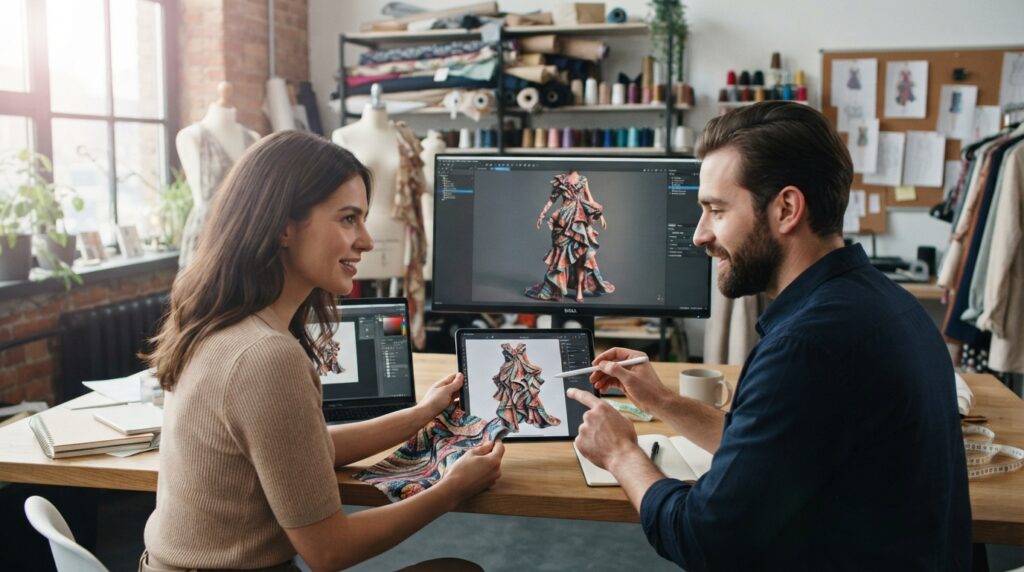
Test the shortlist on one garment that reflects the complexity and fabric behavior of the work we actually make. A real test shows whether the software suits our skills, not just its advertised features.
A virtual sample helps us review a design, but it does not prove final production fit. Keep physical validation for garments where fit, fabric, or construction creates real risk.
Run one representative garment through the workflow
Pick a garment with a challenging detail, such as a shaped seam, layered panel, or fabric that drapes in a specific way. A basic T-shirt may not reveal the limits that matter for a tailored jacket or gathered skirt.
Track the time and skill needed for sketching, pattern work, and simulation. If a team member cannot finish a key task without extra help, that affects the tool’s value in daily work.
A virtual sample lets us assess shape, fabric behavior, and fit before cutting a physical sample. It can help us find design issues early, but real fabric and sewing still affect the finished garment.
Review fit, export, and collaboration
Review the garment on the intended avatar, then inspect the exported files in the next tool. ASTM DXF supports apparel pattern exchange, OBJ can carry 3D geometry, and PDF can carry printable documents.
Ask collaborators to open and revise the files during the test. A file that exports but loses pattern pieces, fit information, or version details can disrupt the handoff.
Keep physical validation when fit, fabric, or construction risk matters, because a virtual sample is not proof of production fit.
Note whether the team can repeat the review without missing key information. Keep the tool only if the team can reproduce the review and handoff without losing pattern, fit, or version information.
Conclusion
The right choice is the tool that helps us make the next required garment decision and deliver the files our collaborators need. CLO 3D is a strong apparel-focused 3D starting point, while Illustrator or Fresco can suit drawing needs.
Free tools can help us explore ideas or draft patterns, but each program has its own limits and use terms. Before paying, test a representative garment and confirm its required export works in the next part of the workflow.
Start by testing one real design in the program that best matches its next step, then expand the stack only when a clear workflow gap remains.